Figma plugin2021
Needle JSON
A Figma plugin that fills copies of one template with data from a JSON file, so a prototype can show every state of a product, not only the happy path.
- Role
- Design and development, solo
- Timeline
- December 2021 – February 2022
- Stack
- TypeScript, React, Figma Plugin API
- First used on
- Electrolux oven UI, at Futurice
01 Context
Many screens, one layout
Some products are described by data, not by screens. A list of modes, settings or products comes from configuration files, and each screen shows one entry in the same layout.
In design files that means the same frame drawn again and again with different text. It is slow work, and every copy is a chance for a typo or a missed update.
02 Use case
A prototype with zero dead ends
I made Needle while designing the oven interface for Electrolux at Futurice. Each screen had a configuration schema: the page header, the oven mode, the available temperatures and the other settings it could show. We had the schemas, but not the screens.
Development worked from a spreadsheet that described every screen and every interaction, so every state had to exist as a real screen in Zeplin, with no dead ends. With 12 cooking modes and about 10 linked screens each, the team was spending its days pasting text into frames.
Read the Electrolux case study →03 Idea
Configs are data, Figma is the template
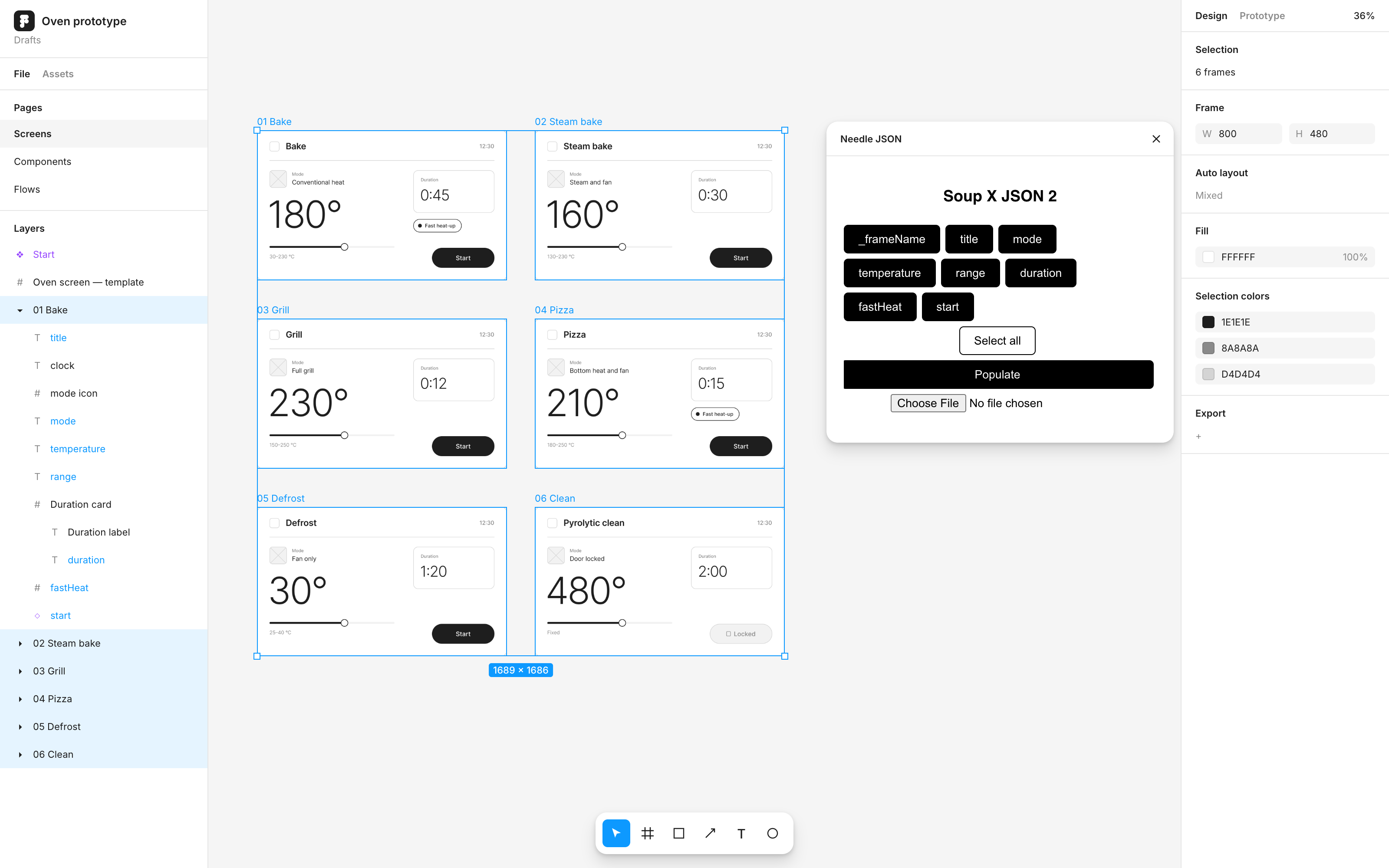
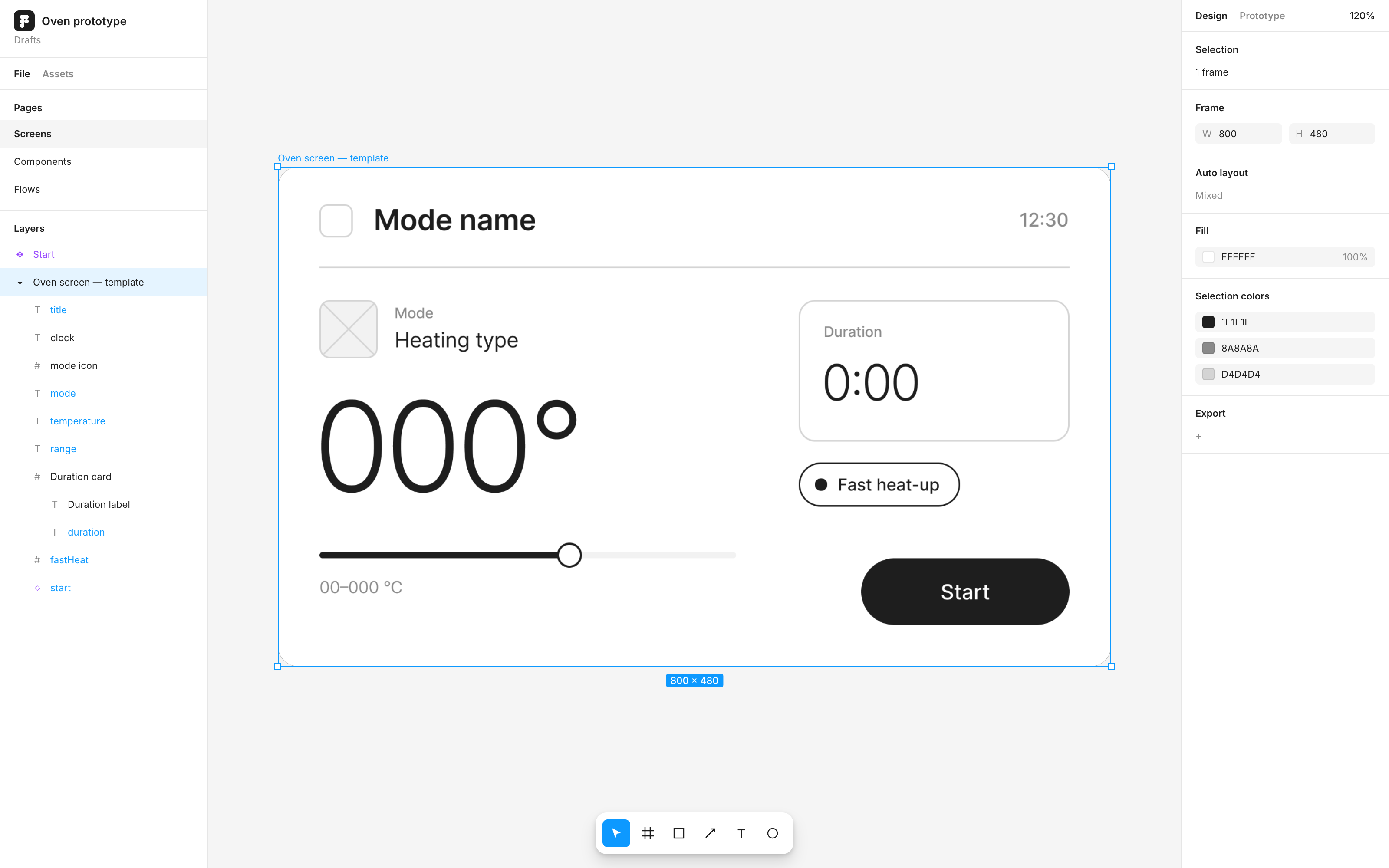
The content already existed in the configs. What was missing was a way to pour it into Figma. So I made one template screen and named its layers after the config keys: title, mode, temperature, range. Then I wrote a plugin that collects all configs and inserts them into copies of that template.
This was in 2021, before MCP servers and AI agents could edit Figma files. A small custom plugin was the fastest way to make the design follow the data.
04 How it works
Needle pierces the layers
Select the copies and load a JSON file with one object per screen. The plugin walks through every layer of every copy. When a layer’s name matches a key, the value decides what happens:
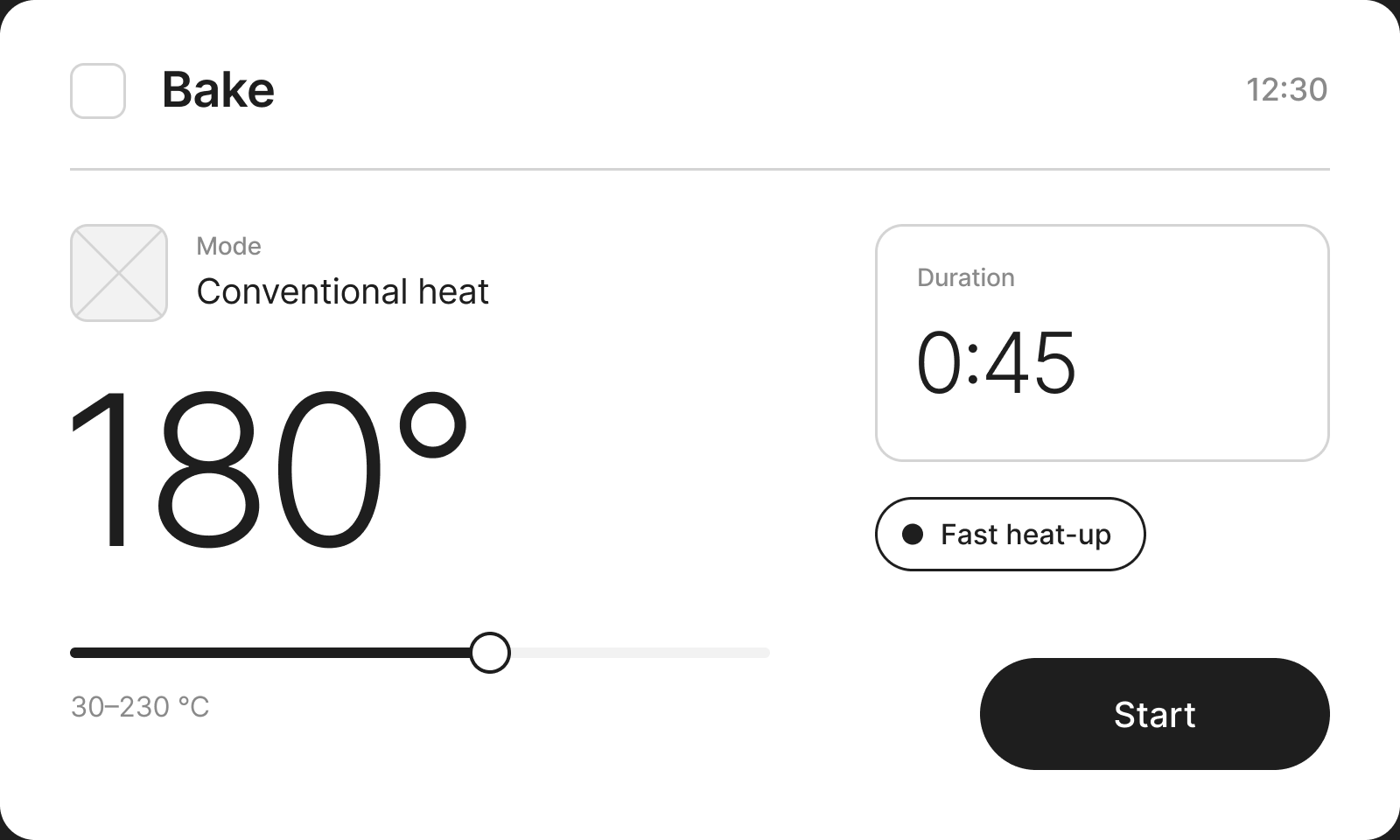
- Text replaces the text of the layer: "temperature": "180°"
- true or false shows or hides the layer: "fastHeat": true
- VARIANT-Property-Value switches the component variant: "start": "VARIANT-State-Locked"
- _frameName renames the screen itself: "_frameName": "01 Bake"
[
  {
    "_frameName": "01 Bake",
    "title": "Bake",
    "mode": "Conventional heat",
    "temperature": "180°",
    "range": "30–230 °C",
    "duration": "0:45",
    "fastHeat": true,
    "start": "VARIANT-State-Ready"
  },
  {
    "_frameName": "02 Steam bake",
    "title": "Steam bake",
    "mode": "Steam and fan",
    "temperature": "160°",
    "range": "130–230 °C",
    "duration": "0:30",
    "fastHeat": false,
    "start": "VARIANT-State-Ready"
  }
]
05 Interface
Choose what to apply
Every key in the file becomes a toggle. Apply only the temperatures, or everything at once with Select all. The panel is plain on purpose: it was a tool for our team, not a product. It still shows its working title.
The fastest source turned out to be a spreadsheet. Each row is a screen, each column is a layer. Export it to CSV, convert it to JSON and the plugin fills every copy. The same works for translations: load the translation file and fill the screens in another language.
06 Credits
Built on good work
The recursive layer search started from JSON to Figma by Pavel Laptev. I added variants, visibility and frame names on top. Later I found Spreadsheet Sync by Andre Pinto, which does something very similar. I kept my JSON-first version because it ran faster for our files.
07 Result
The design followed the data
One configuration produced a complete flow, with text, variants and prototype links in place. The full set produced more than 100 export-ready screens with no dead ends, and saved the team about a month of manual work. When a schema changed, we filled the screens again instead of editing them one by one.
Today an agent with a Figma MCP server could do this from a prompt. The idea still holds: keep content in data, keep design in templates, and let a tool join them.