
A shared knowledge base and design-in-code workflow I started for the team
Context
A product that grows for years collects knowledge in many places: in Figma, in tickets, in chats and in people's heads. At Raxalle I was documenting the product in Markdown and in Figma, but that was not enough. When AI tools became good enough, I started treating product information as a design problem of its own.
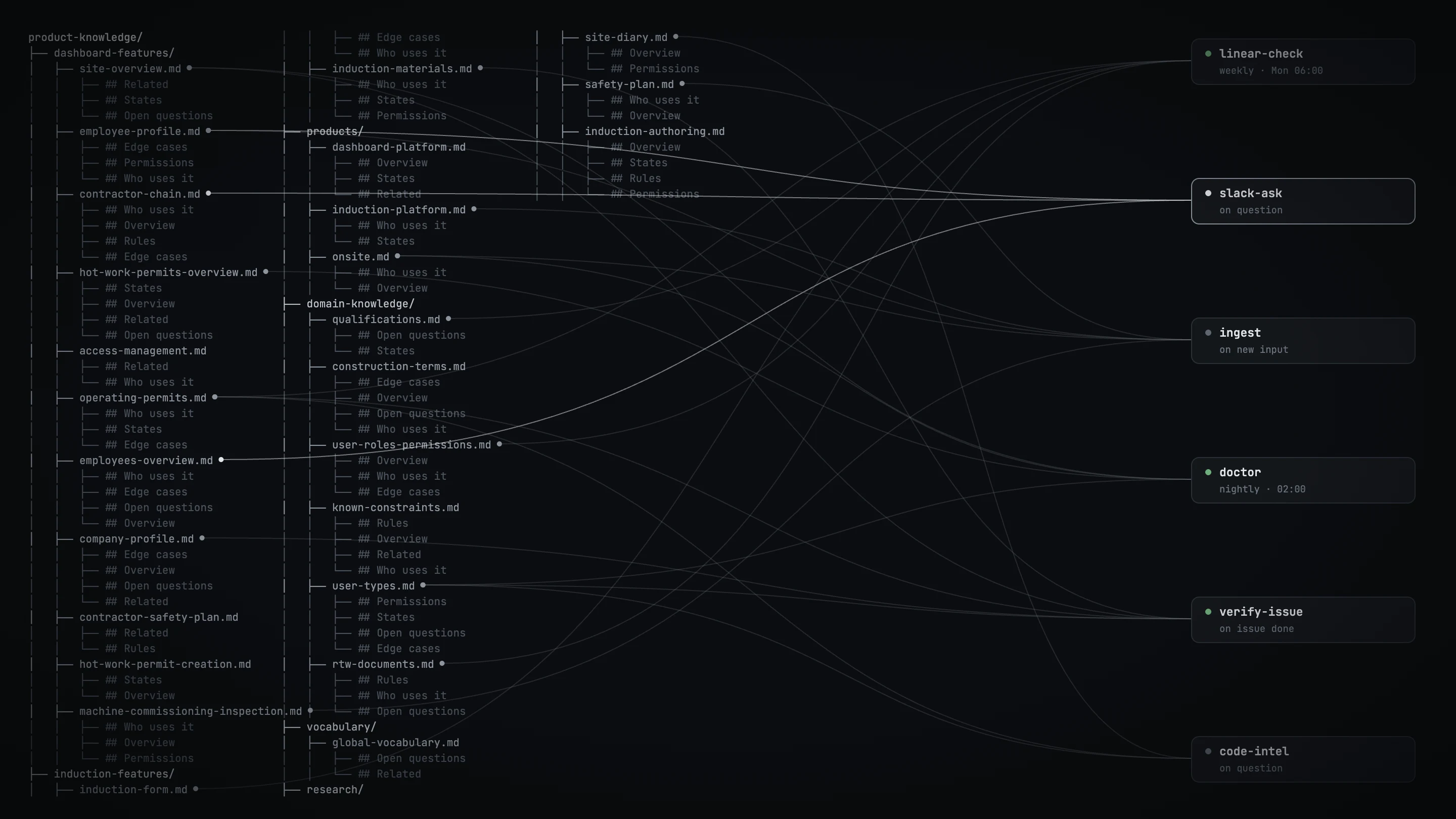
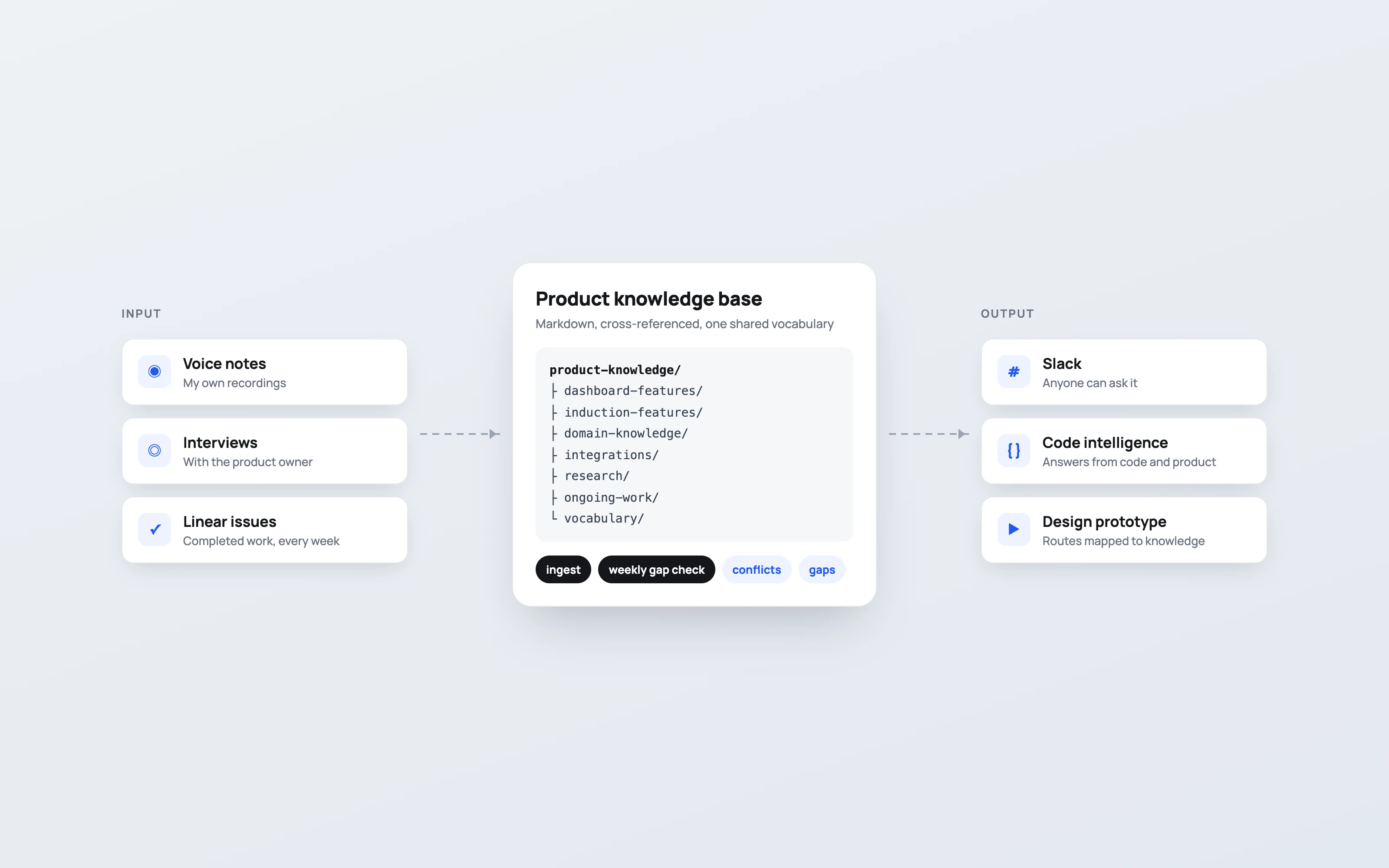
A product knowledge base
I recorded voice notes, gathered materials and interviewed the product owner. From that I started the company's product knowledge base: a large set of Markdown files with a fixed structure, cross-references and a shared vocabulary. The content is mine, written by hand or from my voice notes. Agents helped to sort the details and check what was relevant, and every fact was checked.
To keep the structure intact, I set up skills for the agents. The ingest skill finds the right place for new knowledge, and flags conflicts with what is already there and gaps that the new knowledge reveals.
Self-maintaining
Documentation goes out of date the moment work moves on. So I connected the knowledge base to Linear and used completed issues as the source of truth for what changed in the product. Every week, another skill reads the finished issues and checks how they fit the knowledge base. That finds gaps, including things I forgot in the first version.
Then I connected it to Slack, so everyone in the company can ask it questions. It now also works together with Linear's code intelligence: a question is answered from the codebase and from product knowledge at the same time. No one needs to explain again what the product does. The knowledge base also holds upcoming features, background research and industry analysis.

Designing in code: the parallel prototype
I also changed how design itself is made and handed off. Instead of Figma, I now work in a parallel prototype: a vibe coded copy of the production dashboard, built from the real production code but stripped of everything behind the interface. No database, no requests, no background checks — only the looks, features and behaviour.
It runs on the web, securely, and the whole team can open it. I use it to run experiments, build prototypes and design screens, with a set of tools to fine-tune visuals without prompting again. Because the design already exists in code, developers work from it side by side with me. In reviews I show something people can click through, not a set of static screens. Induction has its own parallel prototype too.
The team removed all developer seats from Figma. I still open it now and then, but it no longer needs active maintenance. Design, development and our conversations about features all became faster.


One board for every screen
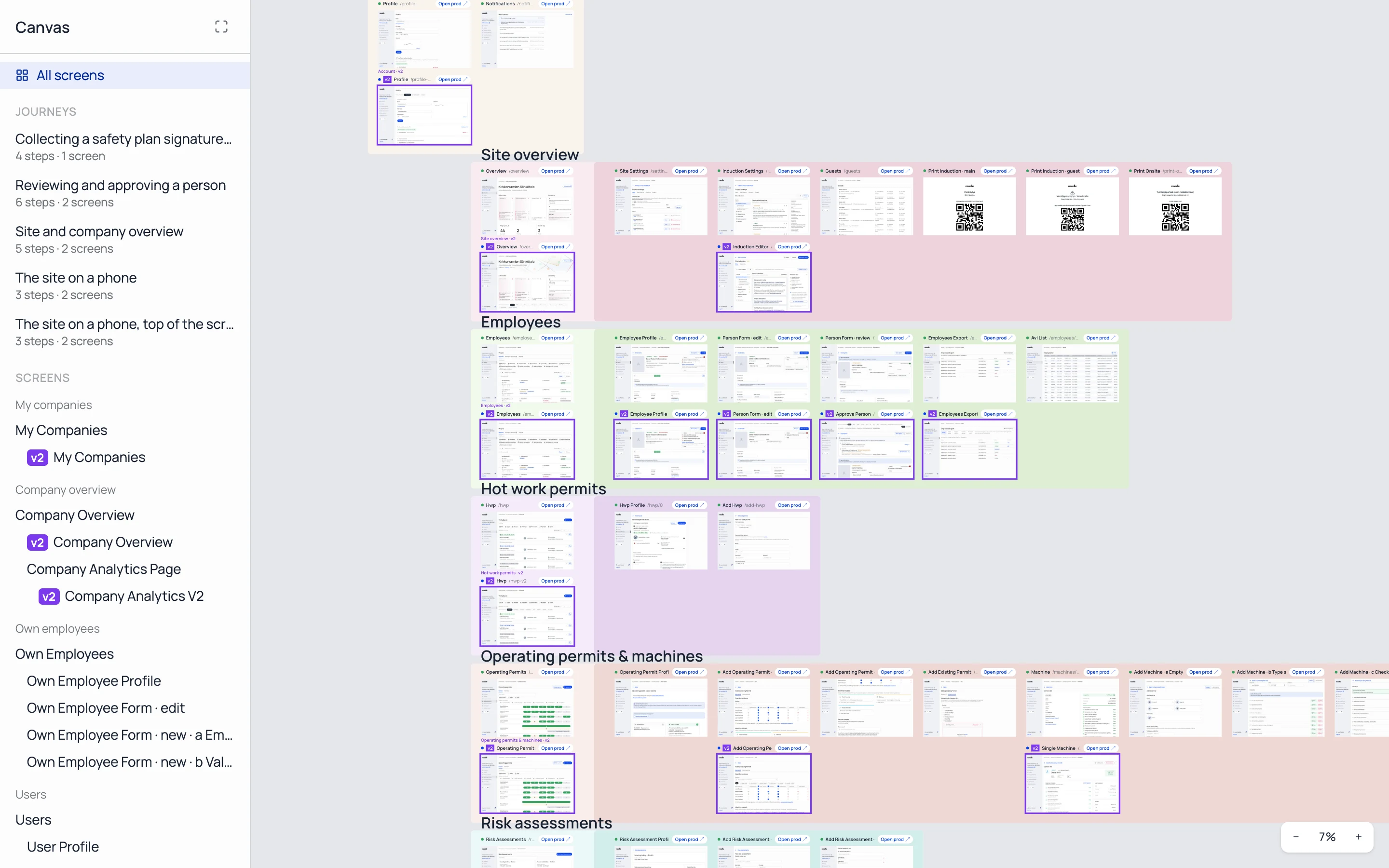
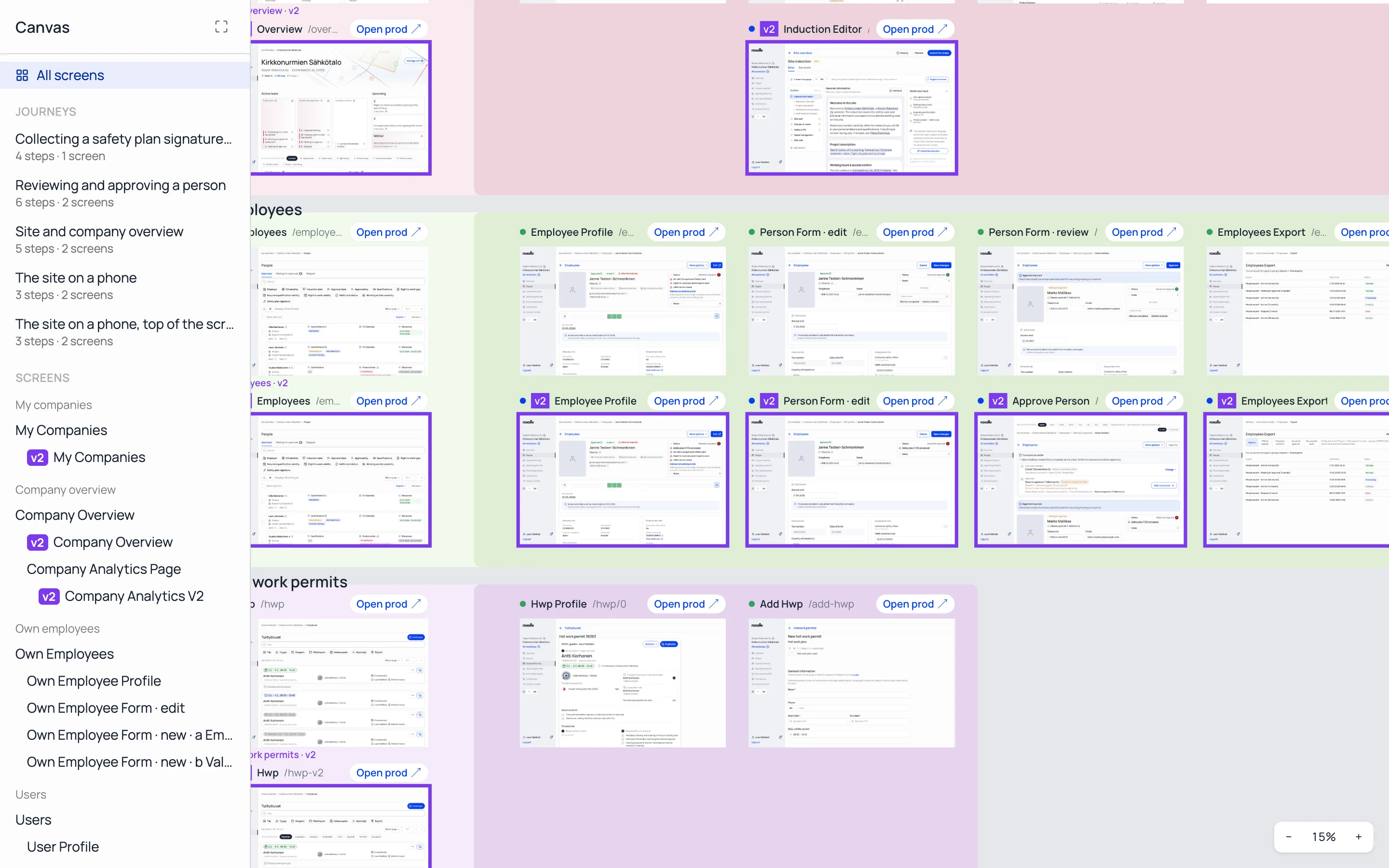
Each screen sits next to its new version, with a link to the same page in production.

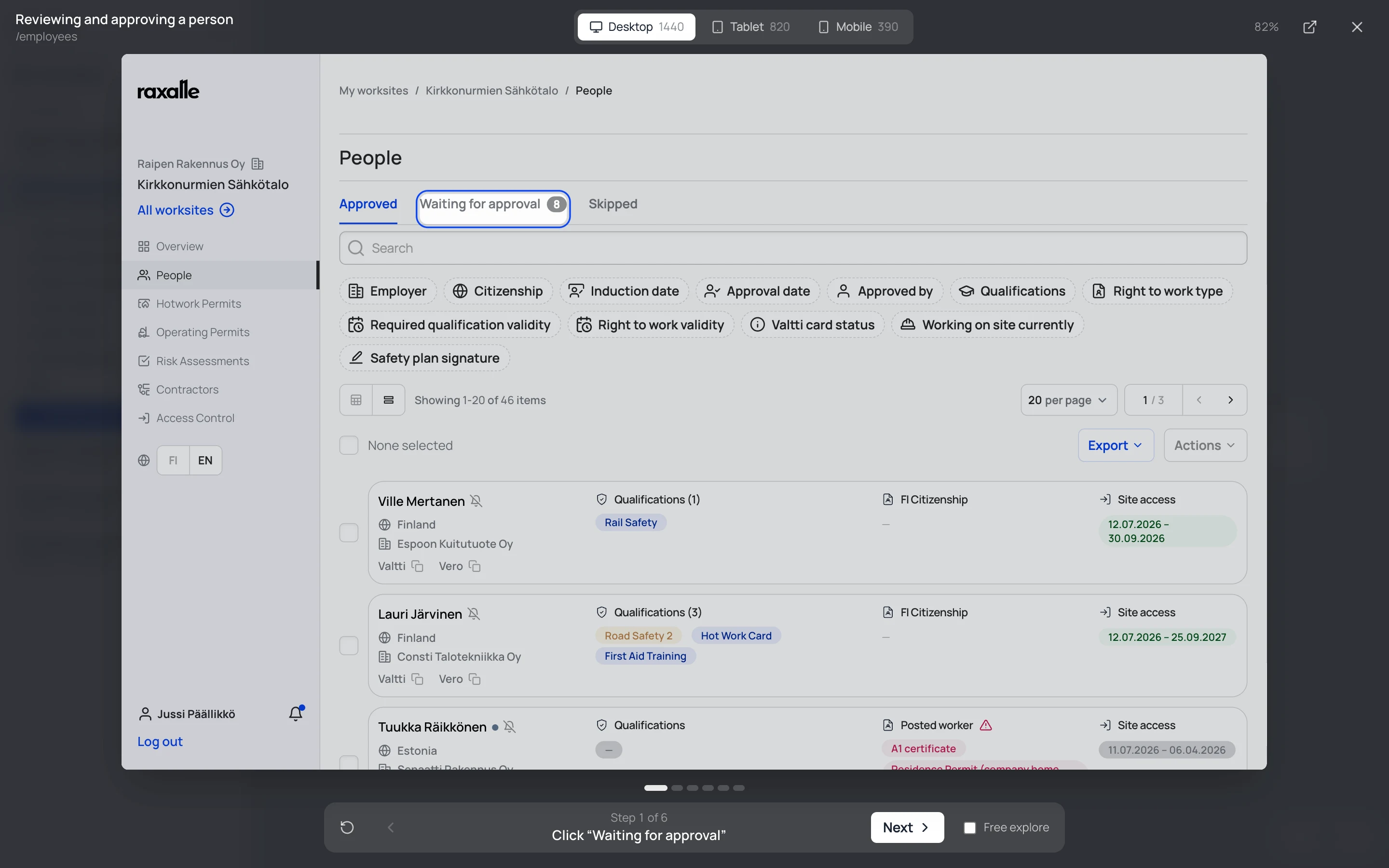
Journeys you can click through
A journey opens at any step, on desktop, tablet or mobile width.
Studio: product videos from a script
Recording product videos with Screen Studio means setting up the viewport, moving the mouse by hand and hoping every motion lands at the right time. I tried, and it was hard. So I built a Studio module into the parallel prototype.
Every element in the prototype has its own ID. I write a script in natural language, an agent turns it into a list of steps, and Studio clicks through them and compiles a polished, Screen Studio-style video. Because the prototype looks exactly like production, the videos do too.
The same script records in batches: in English and in Finnish, on desktop, tablet and mobile. One script, every version, with no manual checking.

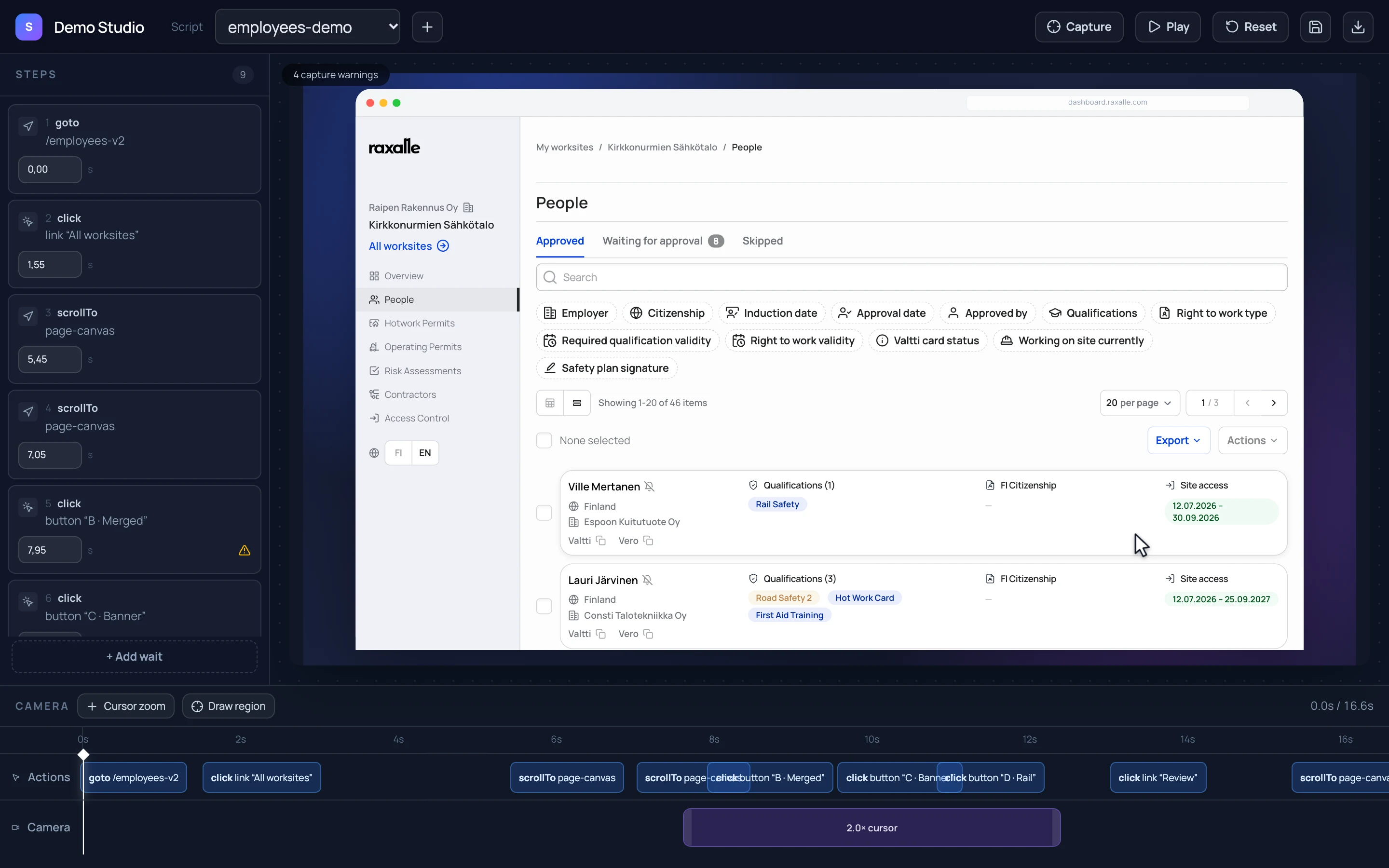

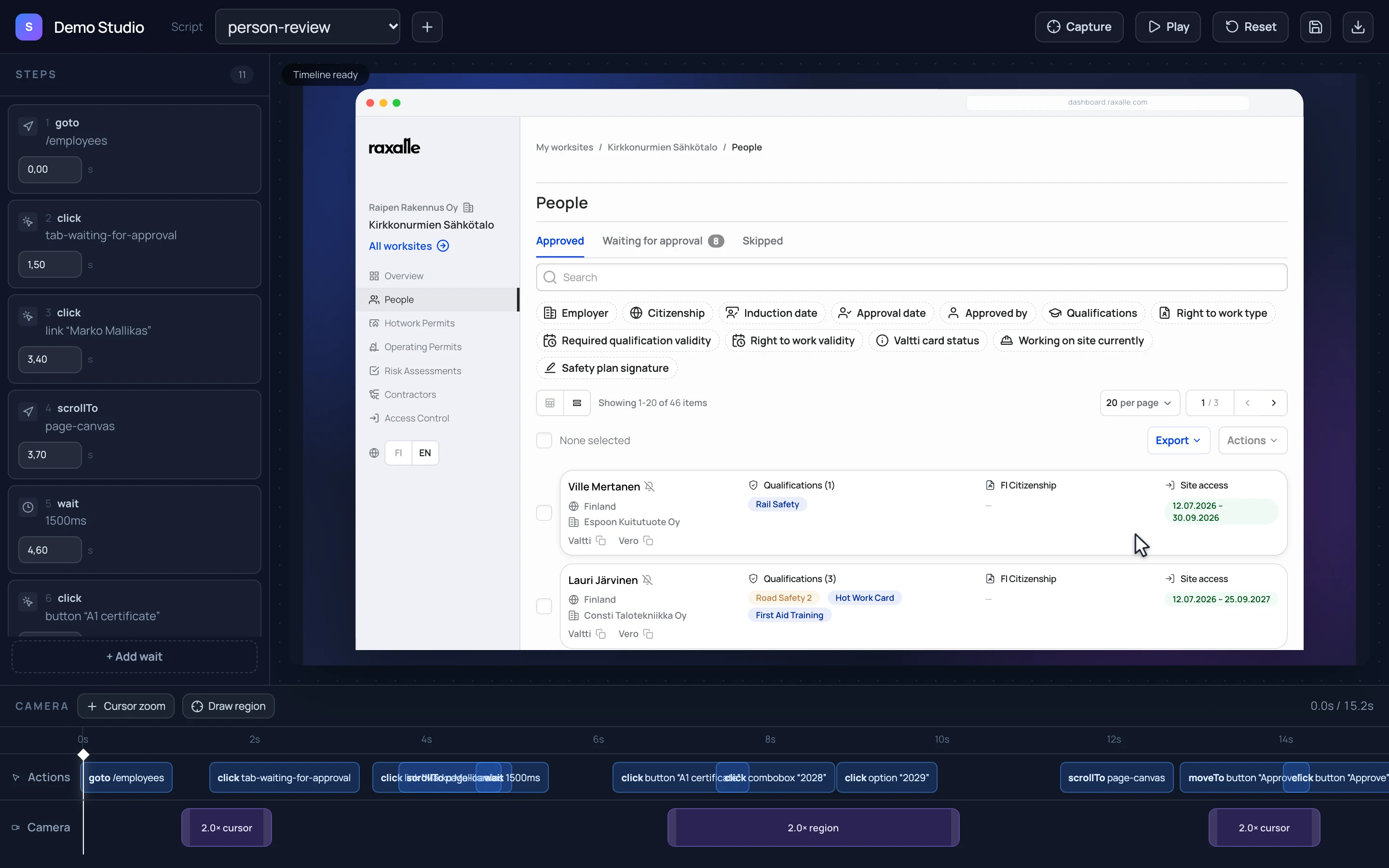
A script is a list of steps
Each step clicks, scrolls or waits. Camera moves sit on their own track.

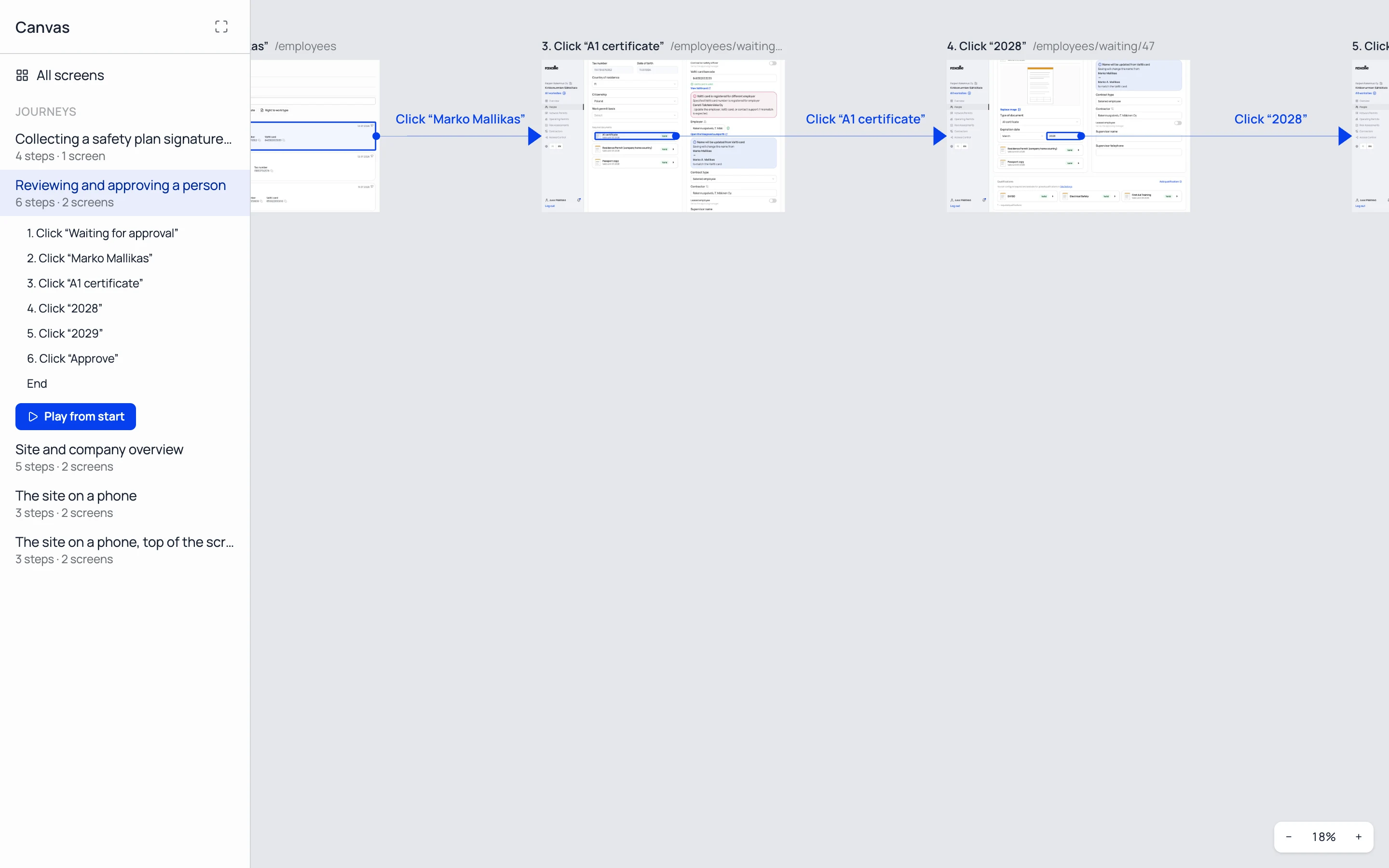
The same script, as a journey
Canvas shows every Studio script as a row of frames, one per step.
Next
Both systems are still growing. One idea is to connect them to customer support: a user asks a question, the knowledge base and code intelligence find the answer, and Studio records a short video that shows exactly how to do it.